
VoicePen AI – Speak. Write. Done.
Use your own OpenAI key (BYOK)
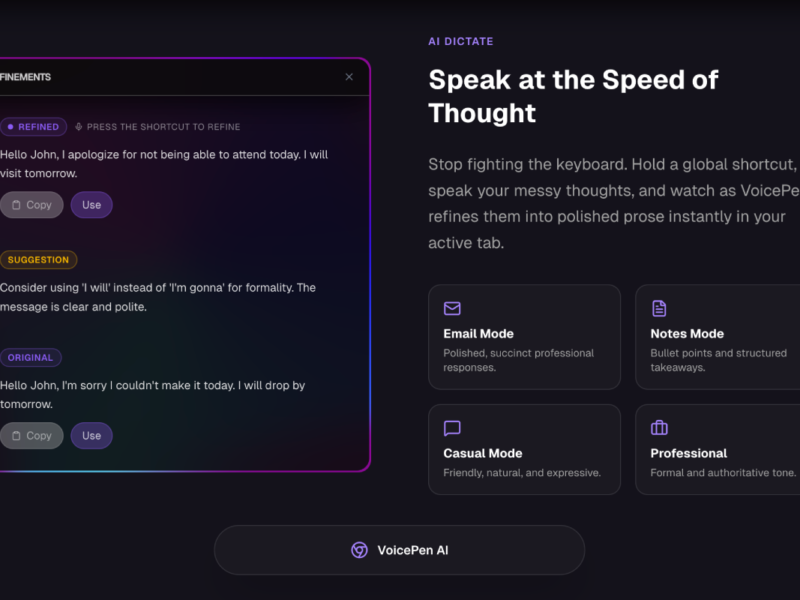
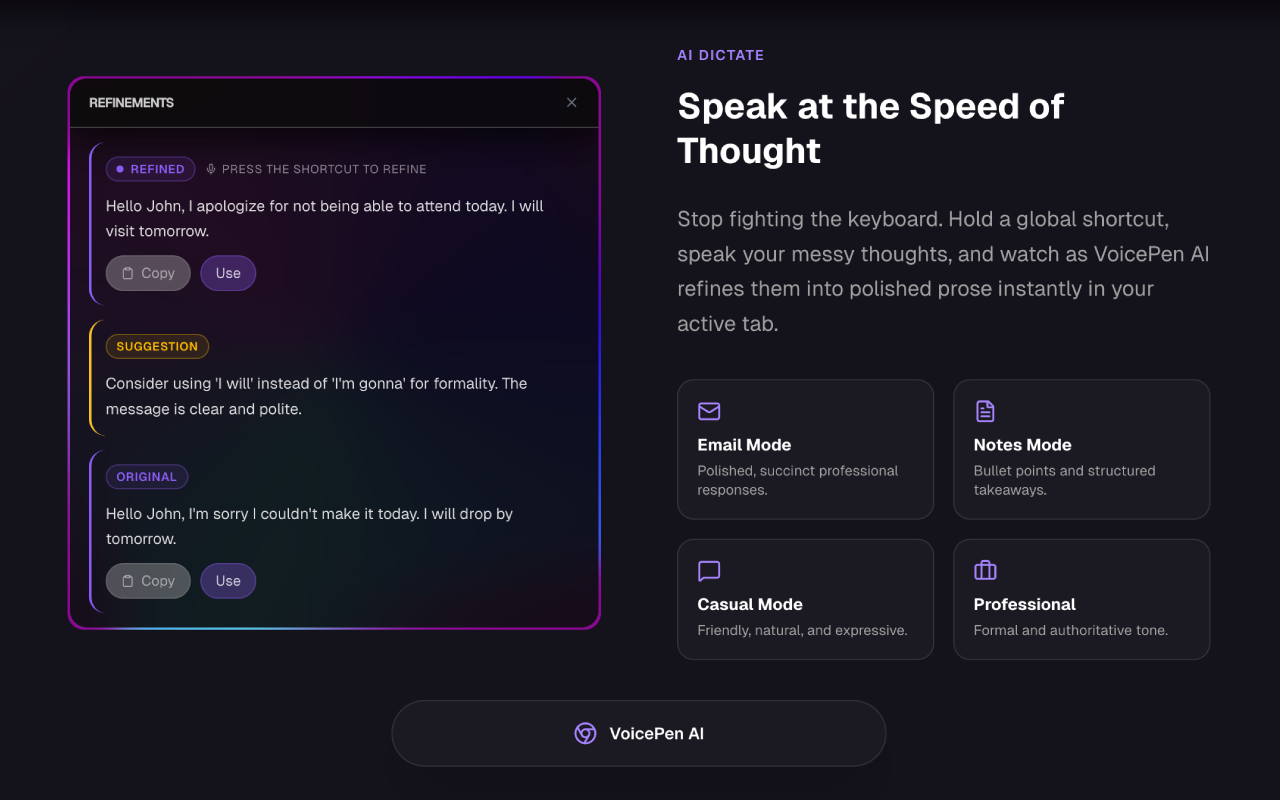
AI DICTATE — Speak. Write. Done.
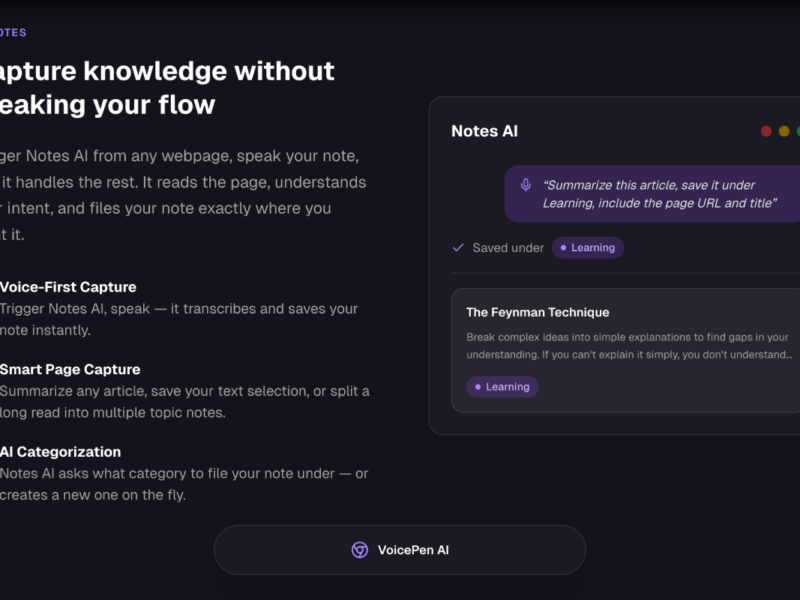
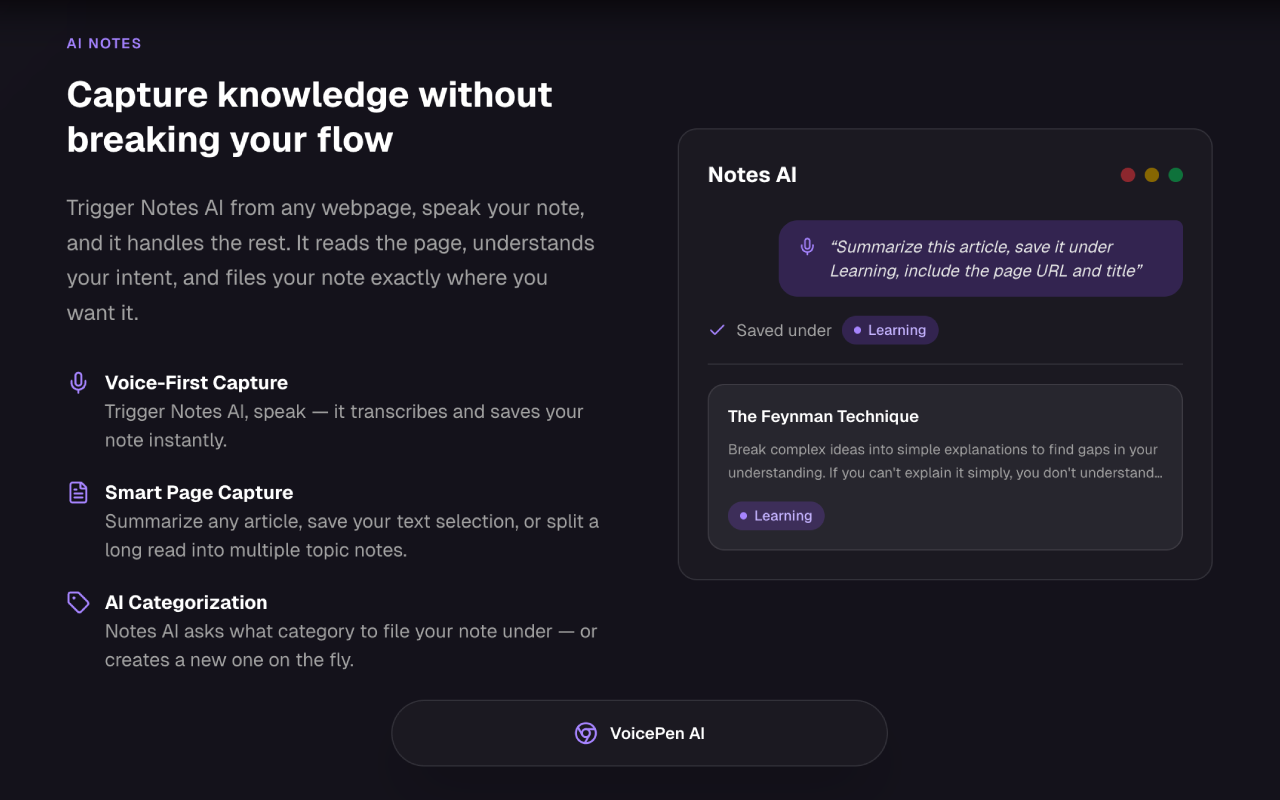
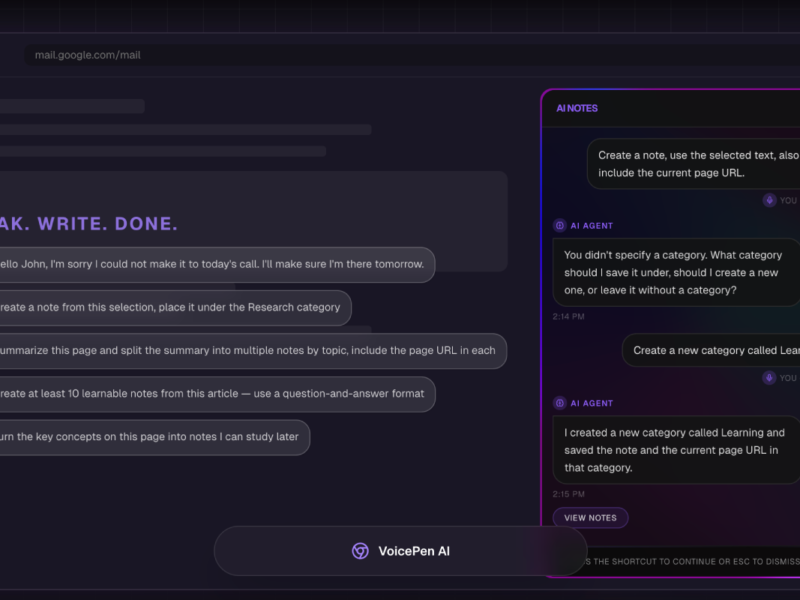
AI NOTES — Capture knowledge without breaking your flow
About VoicePen AI – Speak. Write. Done.
Showcase: https://www.youtube.com/watch?v=5Adt966y-bA
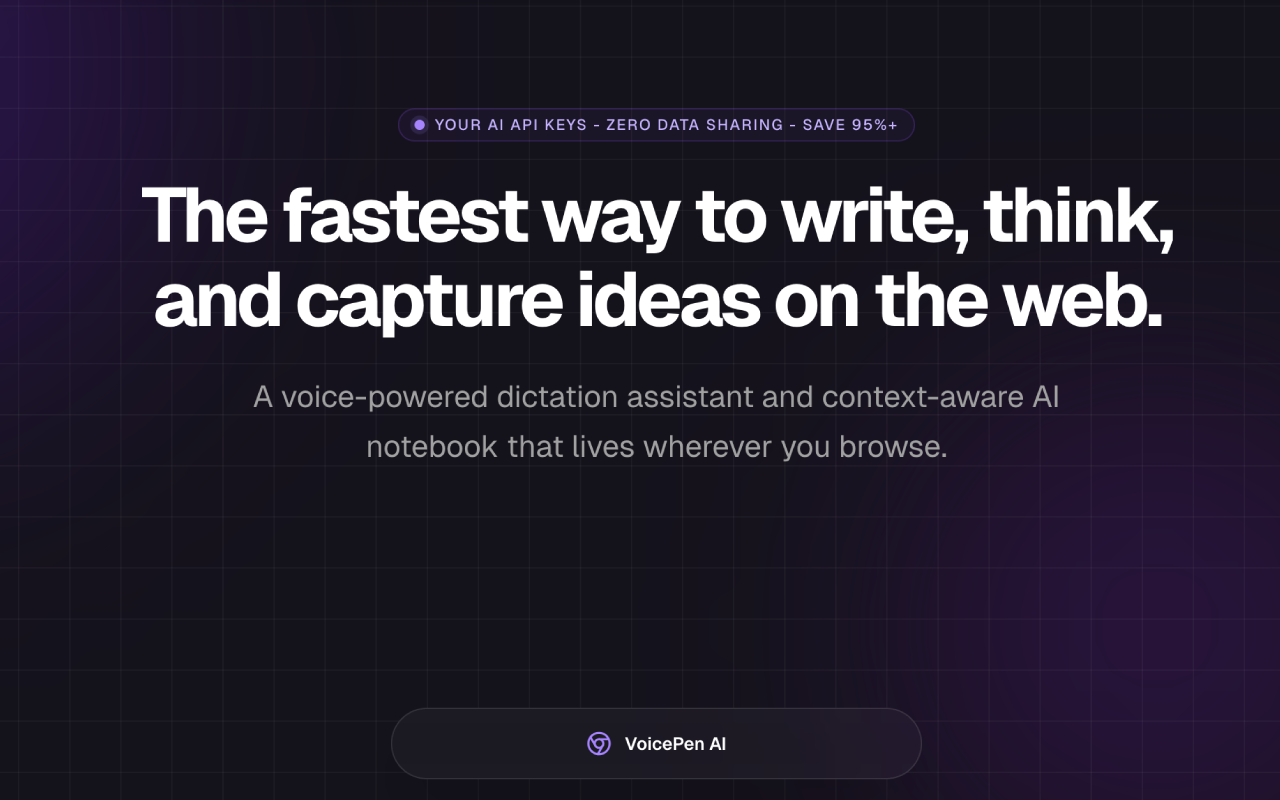
VoicePen AI is a voice-powered dictation assistant and context-aware AI notebook that lives wherever you browse – Gmail, Notion, Slack, Google Docs, Twitter/X, and any web-based tool.
─────────────────────────────────────
AI DICTATE — Speak. Write. Done.
─────────────────────────────────────
Hold your keyboard shortcut (Alt+D on Windows, Option+D on Mac), speak your thoughts, and watch VoicePen instantly transcribe and refine them into polished prose — directly in the page you’re on.
• 5 output modes: Default, Email, Notes, Casual, Professional
• Real-time dynamic refinements as you speak
• Change style mid-dictation by voice (“make it more formal”, “rewrite as an email”)
• Voice editing commands (“delete the last sentence”, “make this shorter”, “summarize what I just said”)
• AI suggestions read aloud while you dictate
• Snippets: speak a trigger phrase to auto-expand frequently used text • Output in any of 40+ languages — dictate in one language, write in another
• Works inside any text field — no copy-pasting required
─────────────────────────────────────
AI NOTES — Capture knowledge without breaking your flow
─────────────────────────────────────
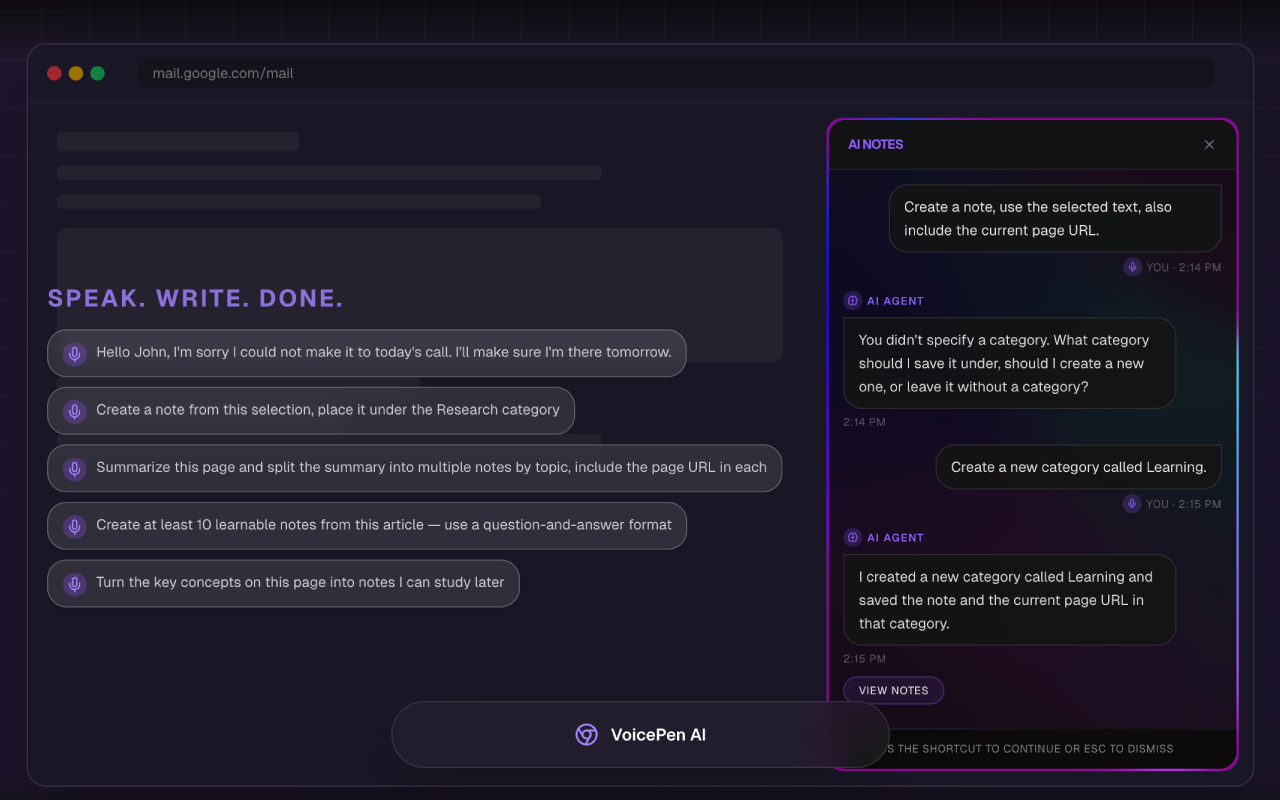
Trigger Notes AI (Alt+N), speak your note, and it handles the rest. It reads the page, understands your intent, and files your note exactly where you want it.
• Voice-first capture — speak and it saves instantly
• Smart page capture — summarize articles or save your selected text
• AI creates new note categories on the fly based on what you say
• Split a long article into multiple topic notes with one voice command
• Generate Q&A study cards from any page (“create 10 learnable notes from this article”)
• Attach the page URL and title to any note automatically
• Color-coded categories, fuzzy search, sort by date
• Everything stored locally — browse and review your notes from the extension
─────────────────────────────────────
BYOK — BRING YOUR OWN AI API KEY
─────────────────────────────────────
Use different models – OpenRouter integration coming soon
VoicePen AI does NOT charge a monthly AI usage fee. You connect your own OpenAI API key and pay OpenAI directly — pennies on the dollar compared to any bundled AI SaaS subscription.
Real-world cost: I used VoicePen AI every day for a full week and spent $0.05 in OpenAI API charges. That’s not a typo. Typical AI tools bundle AI access into a $10–$20/month subscription. With BYOK you cut that cost by 95% or more.
Why BYOK is the smarter choice:
• Your requests go directly from your browser to OpenAI — no middleman
• Faster responses — no round-trip through a third-party relay server
• Full control over your spending — set usage limits directly in your OpenAI account • 100x+ lower cost compared to typical bundled AI services
─────────────────────────────────────
PRIVACY FIRST — Your data never touches our servers
─────────────────────────────────────
Every piece of sensitive data stays on your device:
• API keys are encrypted with AES-256-GCM and stored in your browser’s local storage — they are never sent to our servers or any third party
• Your notes and dictation history are stored locally in your browser
• Voice requests travel directly from your browser to OpenAI — VoicePen’s servers are never in the loop
• Your license key is encrypted and stored locally — never exposed
─────────────────────────────────────
WORKS EVERYWHERE ON THE WEB
─────────────────────────────────────
VoicePen AI injects into any webpage. No context-switching, no copy-pasting.
─────────────────────────────────────
ONE-TIME PAYMENT — No subscription. Ever.
─────────────────────────────────────
Pay once. Use forever.
• Lifetime access with all future feature updates included
• No monthly fees, no annual renewals, no surprise billing
• Instant activation with your license key
• Free trial available to get started — no credit card required
─────────────────────────────────────
REQUIREMENTS
─────────────────────────────────────
• OpenAI API key — required for transcription and AI features (get one at platform.openai.com)
• Google Cloud TTS API key — optional, used for voice readback of AI suggestions (generous free tier: ~16 hours/month)
Media gallery